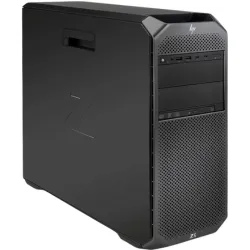
If a SATA drive is not appearing in the operating system on the HP Z6 G4 Workstation, it may be due to an incorrect BIOS setting. One known cause is the “sSATA Controller RAID Mode” being enabled in the BIOS, which can prevent the drive from being detected, formatted, or initialised by the OS.
To resolve this issue, enter the BIOS setup and navigate to:
Advanced > System Options > sSATA Controller RAID Mode
Set this option to “Disabled”, then reboot the system. The drive should now be detected correctly by your operating system.

Tip: This setting applies to drives connected to the secondary SATA controller. For NVMe or primary SATA ports, ensure those settings are configured separately.
Configure the HP Z6 G4 Workstation Online
Customise the HP Z6 G4 Workstation using our industry-leading online configurator. Each component is professionally refurbished and rigorously tested to meet the highest standards. With fast shipping available across the UK, EU and worldwide, plus an included 3-year RTB warranty, you can deploy your workstation quickly and with complete confidence.
Configure the HP Z6 G4